Where is My Winter Car Save File? (2026 Location Guide)
Quick Summary
Struggling to find your My Winter Car save files? They are hidden deep in the
AppDatafolder. This guide will show you exactly wheresavefile.txtis located on Windows and Steam Deck.
Windows Save Location
On Windows 10 and 11, save files are stored in the LocalLow directory.
Standard Path
C:\Users\YourUsername\AppData\LocalLow\Amistech\My Winter Car\
The Shortcut (Recommended)
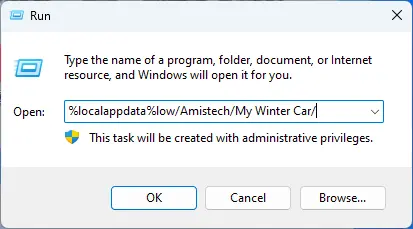
You don't need to manually navigate folders. Use this shortcut:
- Press
Win + Ron your keyboard. - Paste this code into the Run box:
%localappdata%low/Amistech/My Winter Car/ - Press Enter.
Key Files Explained
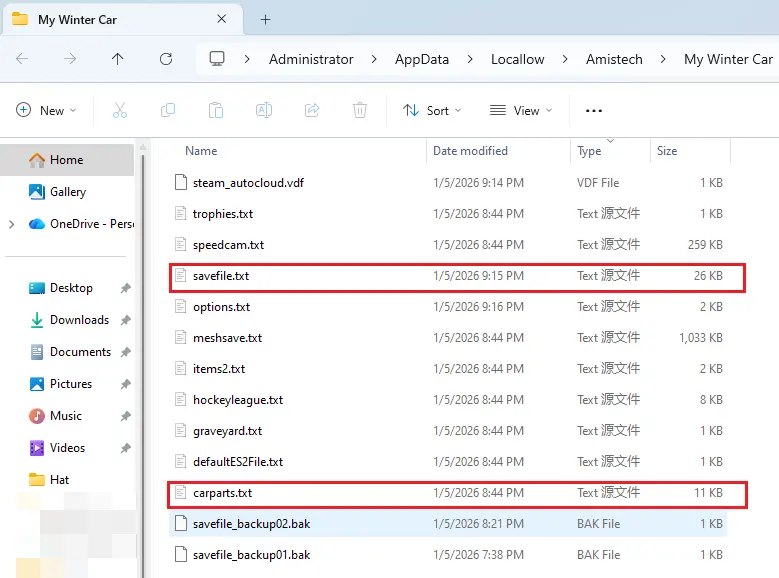
Once inside the folder, look for these specific files:
1. savefile.txt
This is your main save.
- Stores: Money, hunger, fatigue, weather, time.
- Use it to: Add money or reset survival stats.
2. carparts.txt
This is your car's data.
- Stores: Part locations, bolt tightness, wear levels.
- Use it to: Fix broken engines or locate lost parts.
3. Other Files
options.txt: Graphics and audio settings.keys.txt: Key bindings.
Steam Deck / Linux Location
On Steam Deck, the game runs via Proton, making the path more complex. Switch to Desktop Mode to find it.
Path
/home/deck/.local/share/Steam/steamapps/compatdata/[GameID]/pfx/drive_c/users/steamuser/AppData/LocalLow/Amistech/My Winter Car/
Pro Tip
The [GameID] might change during early access. To find it quickly:
- Go to
compatdata. - Sort folders by "Date Modified".
- The most recently modified folder is usually MWC.
Why You Must Backup
Amistech's physics engine is notoriously chaotic. Your car will eventually glitch into the ground or fly into space.
Since My Winter Car has Permadeath, a single bug can wipe out 50 hours of progress. Always backup savefile.txt manually to a safe folder.
How to Edit Your Save
Found the file? Now let's edit it.
Using MWC Editor (Web)
We built a safe, online tool to replace the old .exe editors.
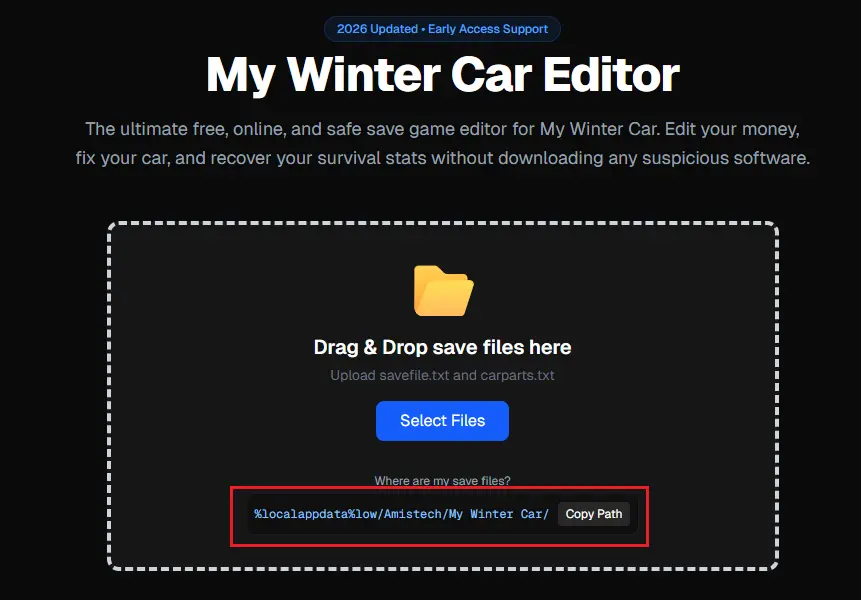
- Go to mwceditor.com.
- Paste the
%localappdata%lowpath when selecting files. - Upload
savefile.txtto edit money orcarparts.txtto fix bolts.
Summary: Remember the shortcut %localappdata%low/Amistech/My Winter Car/, and you'll never lose your save frame again. Happy wrenching!