My Winter Car Money Cheat: The Ultimate Infinite Marks Guide (2026)
Summary
In the frozen wasteland of My Winter Car, Marks (money) are more than just currency—they are your lifeline. From buying expensive rally parts to simply affording sausages and beer, every action drains your wallet. This guide provides the ultimate solution to financial freedom without downloading any risky software.
Part 1: Why the Struggle is Real
My Winter Car inherits the hardcore DNA of its predecessor, My Summer Car. Making money "legitimately" is intentionally designed to be a painful grind.
Early game challenges include:
- Expensive Parts: Your project car (the Rivett) is a money pit. You need to order parts from catalogs or scavenge the junkyard, and none of it is cheap.
- Survival Costs: Hunger, thirst, and fuel bills stack up fast. You can easily go bankrupt just trying to stay alive.
- Time Sink: Jobs like chopping wood or pumping sewage take hours of real-time. You played this game to drive rally cars, not to simulate a 9-to-5 labor job.
[Image Request 1]: A screenshot of Teimo's Shop showing expensive price tags, or a screenshot of the player holding an empty wallet for dramatic effect.
If you want to skip the grind and focus on building the ultimate machine, modding your save file is the smartest move.
Part 2: The Dangers of Old Methods
Veterans of the genre might remember the "dark ages" of modifying save files.
1. Hex Editors
The old-school way. Opening a binary file and hunting for specific bytes to change.
- The Problem: It's extremely difficult. One wrong byte and your save file is corrupted forever.
2. EXE Trainers
Downloading random .exe files from forums.
- The Risk: High risk of viruses or malware. Plus, trainers often break whenever the game updates, leaving you waiting for a fix.
3. Cheat Engine
- The Hassle: Requires running background processes, scanning memory, and can cause game crashes.
Part 3: The 2026 Solution - Online Editing
Enter MWC Editor (mwceditor.com). It combines the power of a hex editor with the ease of a modern web app. It runs 100% in your browser.
Preparation
- Close the game. This is crucial. Editing while the game is running will not work.
- Open mwceditor.com.
Step-by-Step Guide
1. Locate Your Save
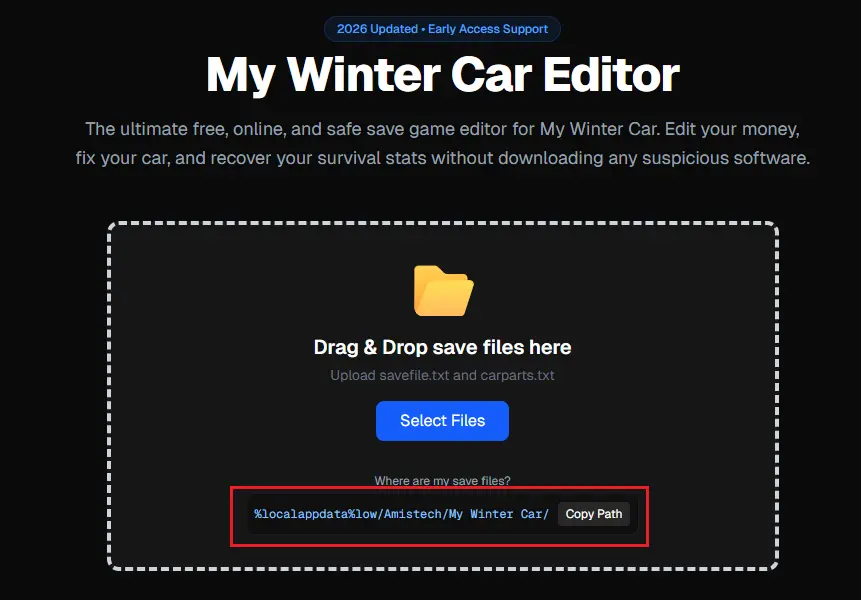
You need your savefile.txt. If you don't know where it is, read our Save Location Guide.
- Shortcut:
%localappdata%low/Amistech/My Winter Car/
2. Upload
Drag and drop savefile.txt into the upload box. The editor will instantly parse thousands of game variables.
3. Use the "Quick Edit" Panel
Forget about searching through thousands of variable names. We have done the hard work for you.
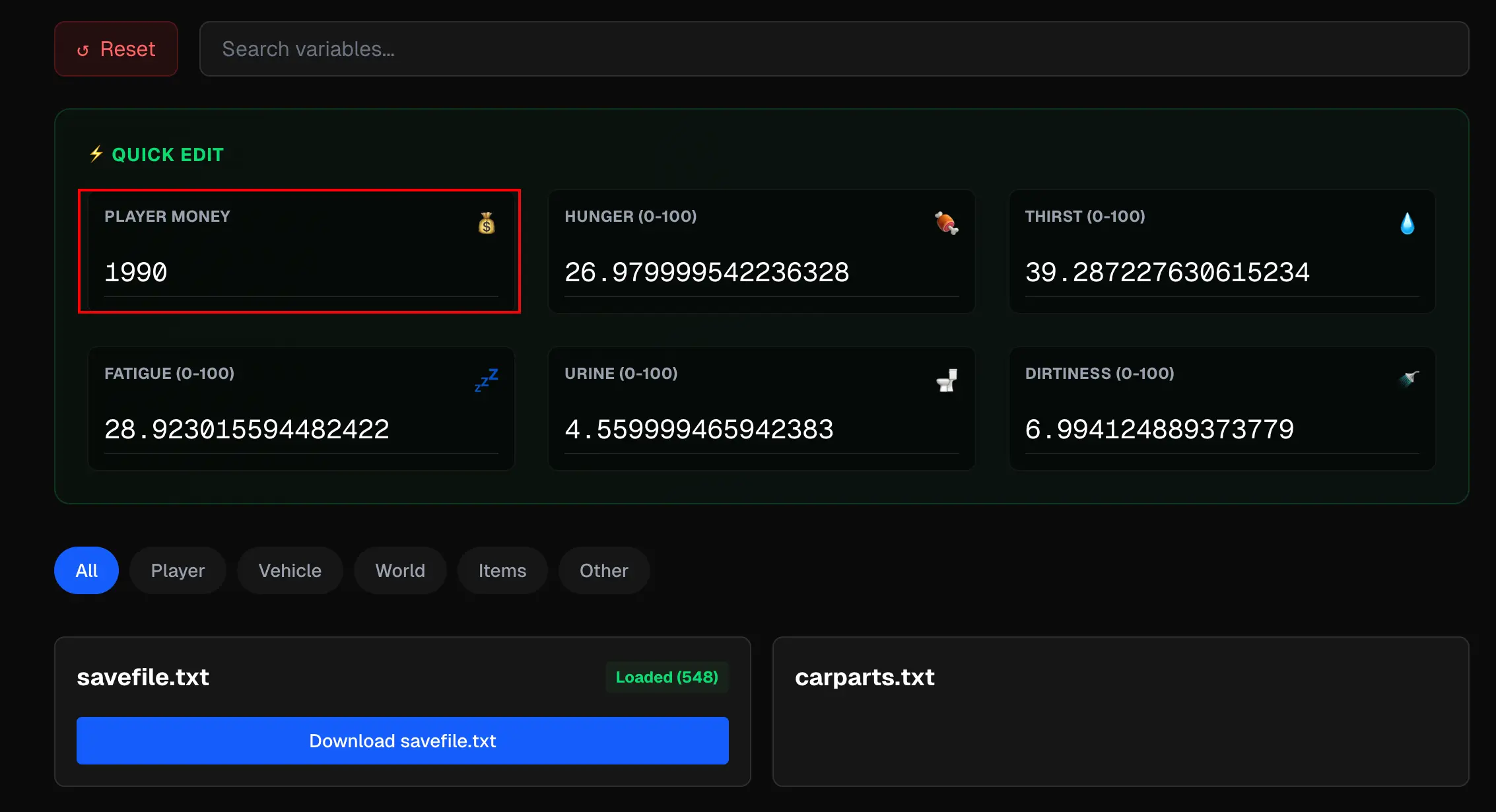
- Once your file is loaded, look at the Quick Edit Panel at the top of the screen.
- The editor automatically detects and displays key stats like Money, Deaths, and Wear.
- Simply type your desired amount (e.g.,
500000) into the Money box. No searching required.
Note: If you are an advanced user and want to tweak specific engine parts, you can still use the Search bar below to find any variable you want.
4. Bonus: God Mode?
While you are here, why not fix your survival stats?
Search for player to match:
playerhunger: Set to 0.playerthirst: Set to 0.playerfatigue: Set to 0.
Now you can work on your car for days without needing to sleep or eat.
5. Download & Overwrite
- Click "Download savefile.txt" at the bottom.
- Copy the new file back to your
%localappdata%low/Amistech/My Winter Car/folder. - Overwrite the existing file when prompted.
Part 4: Troubleshooting
Q: I changed the money, but it's not showing in-game? A: Did you close the game before saving? Also, check if Steam Cloud restored your old save. We recommend disabling Steam Cloud temporarily or making sure to overwrite correctly.
Q: My game crashed after loading the save. A: Did you enter any letters or special characters into the number field? Only use digits. Restore your backup if this happens.
Q: Can I spawn items?
A: Money covers most things, but for specific car parts, you'll need our upcoming guide on editing carparts.txt.
Conclusion
In the harsh world of My Winter Car, a little financial boost goes a long way. It transforms the game from a "suffering simulator" into a "mechanic sandbox". With mwceditor.com, you are just 3 seconds away from building your dream car.
Now, go buy that turbocharger. You can afford it.