My Winter Car Repair Guide: Fix All Broken Parts Instantly (2026)
Summary
In My Winter Car, assembling the car is just the beginning of the nightmare. Parts wear out, bolts loosen, and your crankshaft might snap in half if you downshift too aggressively. Instead of spending hours troubleshooting, learn how to reset your car's condition by editing your save file.
Why Won't My Car Start?
The three most common mysteries for new drivers:
- Key turns but nothing happens: Could be a dead Starter or missing Wiring.
- Engine makes ticking noises: Usually the Rocker Shaft needs tuning or the Crankshaft is dying.
- Black/White Smoke: Piston Rings are worn or the Head Gasket is blown.
Normally, diagnosing this requires expensive gauges or real-life mechanics knowledge. But by inspecting your save file, you can gain "X-Ray Vision" and see the exact health (Wear) of every single part.
The Heart of the Matter: carparts.txt
Unlike player stats which live in savefile.txt, all vehicle data is stored in carparts.txt.
Every part has these attributes:
- installed:
true(On the car) /false(Not equipped). - bolted:
true(Bolts tightened) /false(Loose). - wear: A number from
0-100(representing health or damage). - tightness: How tight each specific bolt is.
How to Fix Parts with the Online Editor
Manually editing hundreds of lines of text is painful. Use MWC Editor instead.
Step 1: Preparation
- Find your save folder (see our Save Location Guide).
- This time, look for
carparts.txt(notsavefile.txt).
Step 2: Upload & Search
- Open mwceditor.com.
- Drag and drop
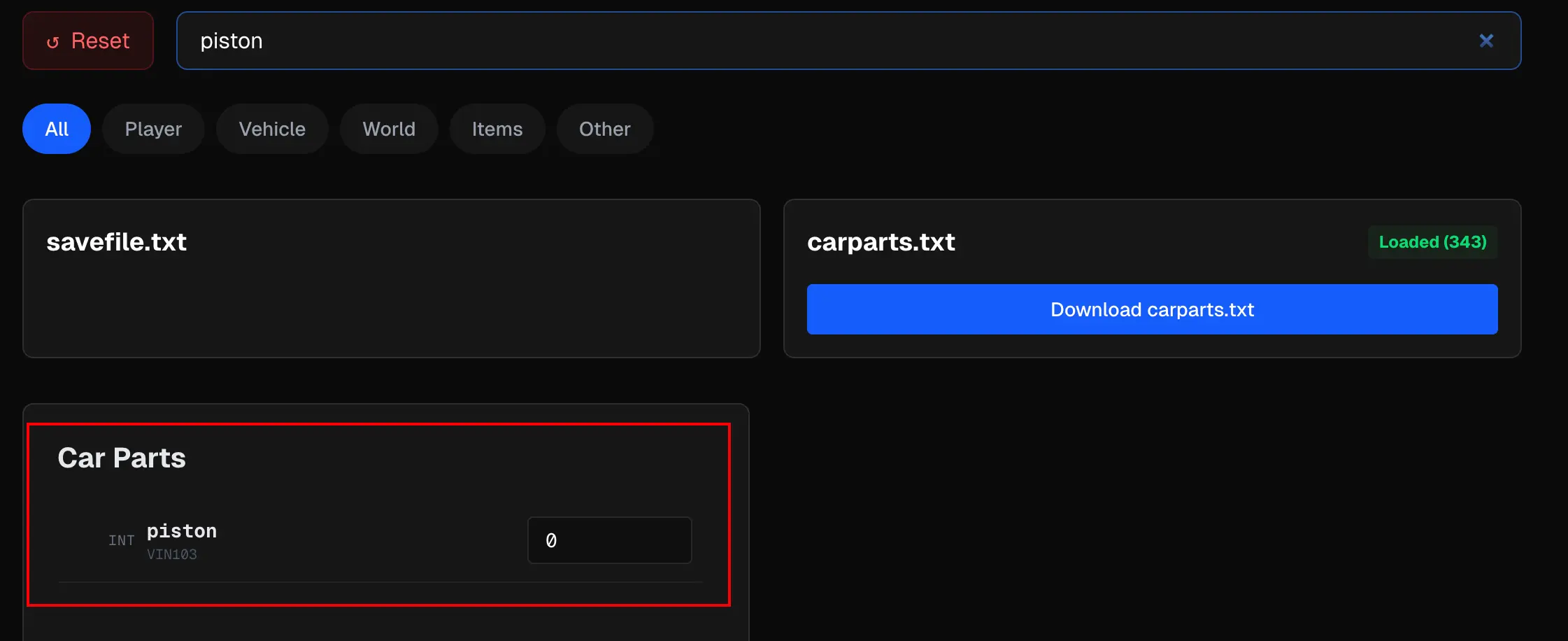
carparts.txt. - Search for the part you suspect is broken, e.g.,
piston.
Step 3: Repairing
Find the wear attribute.
- Change the value to Perfect (Usually 100 or 0, depending on the specific part logic—check the editor for tooltips).
- If you hate tightening bolts, look for
tightnessand set it to max.
Step 4: Finding Lost Parts
Did a part clip through the floor?
- Search for the part name.
- Find the
transform(position coordinates). - Change the X/Y/Z coordinates to your garage location (copy coordinates from a known object like the "Garage Table").
The Lazy Fix: The "Fleetari" Special
If you don't want to edit individual parts, the fastest way is to force the game economy.
- Use our Money Cheat Guide to get unlimited cash.
- Tow your car to the repair shop.
- Buy the "Engine Adjustment" and "Repair of broken parts" services.
FAQ
Q: I edited carparts.txt but my engine fell out?
A: Make sure you set bolted to true. If a part is installed: true but bolted: false, gravity will do its job as soon as you load the game.
Q: Can I auto-fix wiring?
A: Wiring is complex. Currently, we recommend using the editor to check if key wires (like wiring_battery_ground) are true. Or, simply pay the mechanic in-game to do the wiring for you.
Conclusion Fixing cars is the core loop of My Winter Car, but fixing bugs is not. Use MWC Editor to skip the frustration of broken saves and lost parts. Get your Rivett back on the rally stage where it belongs!